Computer-aided design has brought changes to the way jewelry concepts are created, evaluated, and ready for manufacturing. Now, in addition to manual sketching and prototyping, designers have an opportunity to develop three-dimensional models, to change their dimensions and proportions, and to create files that can be used to manufacture pieces of jewelry.
As for choosing CAD software for beginners who want to start working in the field of jewelry design in the United States, this task may be challenging since there are numerous options. In particular, one should choose between all-purpose 3D modeling software, programs for jewelry, sculpting tools, and software that combines both jewelry features and CAD functionality. All of them differ depending on the types of jewelry to be developed and the manufacturing process.
It means that there is no program suitable for all beginners. The most popular options in today’s industry include Rhino, MatrixGold, 3Design, JewelCAD, ZBrush, and Blender, among others.
What Is Jewelry CAD Software?
Jewelry design software helps the designer make 3D designs of their jewelry products. CAD is the abbreviation for computer-aided design and the software technology enables creation of all kinds of jewelry products from basic to elaborate.
The designer may use the digital model to:
- Overall proportions
- Thickness and dimensions
- Curves and surfaces
- Stone placement
- Engraving and decorative details
- Connections between components
- Manufacturing considerations
- Different design variations
Revisability is one of the primary strengths for beginners, who can change their design without having to redo the whole project from scratch. It may be much more convenient than creating new models manually.
What Should Beginners Look for in Jewelry CAD Software?
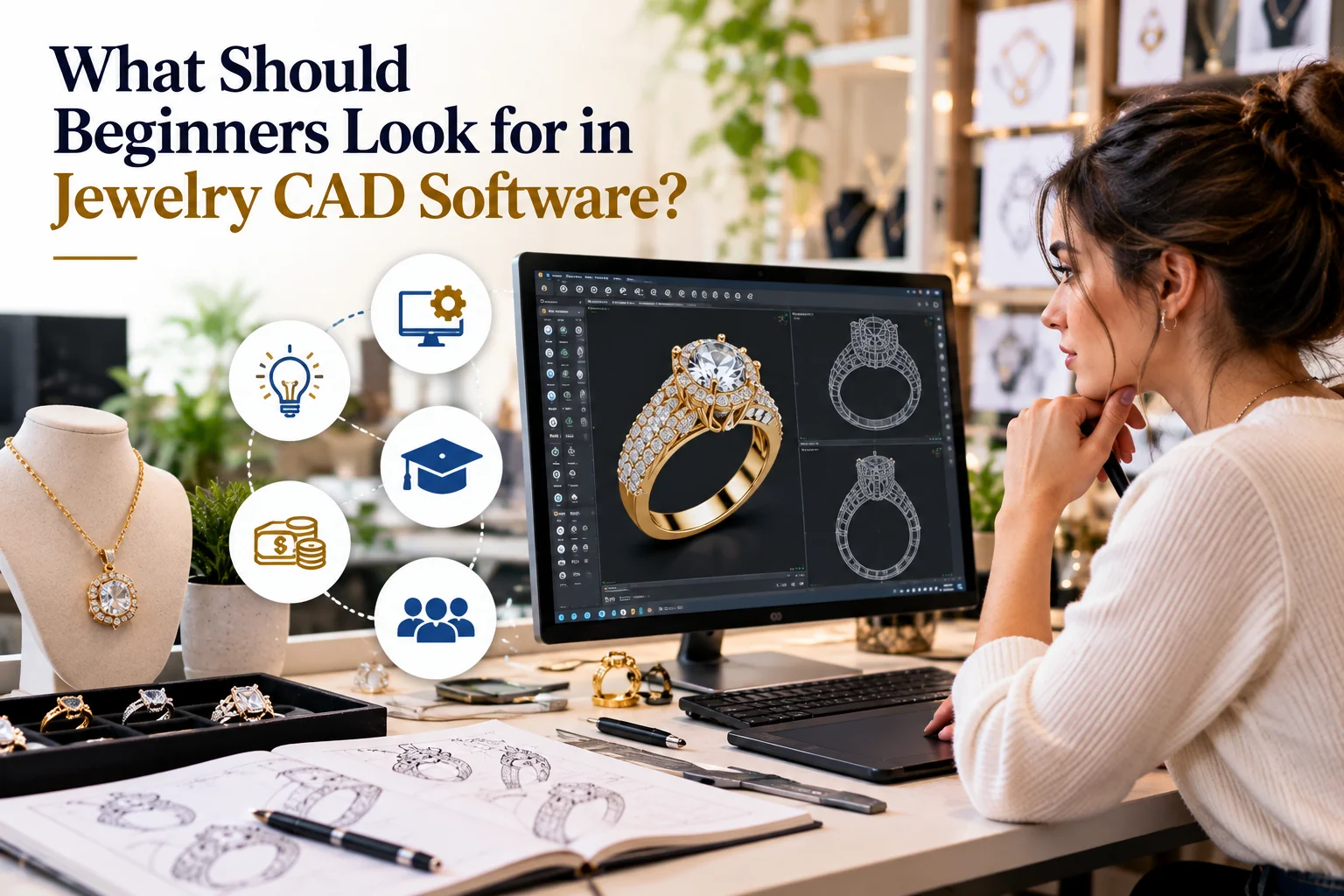
The best software to use really depends on what you wish to achieve. It is important to take into account some practical aspects before buying the particular software.
1. Learning Curve
A strong software is not always the most user-friendly software for a person who does not have experience in using CAD software.
It is better to find some tutorial for a beginner in order to be able to start working with the program quickly and easily.
2. Modeling Precision
Jewelry is fairly small relative to many other manufactured objects, and dimensional precision is thus critical.
It could be that the designer must use very precise dimensions on a ring, pendant, setting, bail, or chain joint. CAD software with precise curve, surface, solid, and measurement capabilities could be useful for this type of manufacturing-based design.
3. Jewelry-Specific Features
General 3D modeling software is capable of designing amazing shapes; however, specialized jewelry software could have features specifically designed for settings, rings, prongs, bezels, pave work, among others.
There is MatrixGold software which is a combination of Rhino environment with jewelry specific features and 3Design which is based on jewelry designing.
4. Editing and Revisions
Jewelry customization will often call for changes in the process. The customer might want the pendant to be bigger, or he or she might want other changes in terms of lettering, gemstone size, and shape.
This would allow for significant time savings in making such changes. This is where parametric modeling will come handy since some relationships between parts of design can remain intact even after a change in parameter.
In 3Design, parametric design allows revisiting the elements in the model and making necessary changes.
Rhino: A Flexible Starting Point
Rhino 3D is a general 3D modeling software that is popularly used in jewelry design. This program was not specifically designed for use in jewelry design; however, due to its ability to create accurate models, it is able to model many jewelry designs.
In case one is just starting out in jewelry design and wishes to gain wider CAD skills, Rhino can prove to be a great choice as the foundation of one’s CAD knowledge. Rhino 3D employs NURBS modeling which is useful in the creation of curves and surfaces.
The downside is that Rhino itself does not come with all the features needed in designing jewels; these can be added through plugins or other means.
This extra flexibility is useful when one wishes to work on several types of 3D models and not limit oneself only to jewelry.
MatrixGold: Jewelry-Focused Modeling
The software called MatrixGold is designed using jewelry modeling workflow and works in Rhino environment. MatrixGold offers tools designed to make jewelry modeling easier.
For instance, there can be tools designed for working with such elements of jewelery as stones, settings, prongs, etc. They can be useful in reducing manual modeling process in some commercial jewelry types.
At the same time, it would be reasonable for beginners to think about training costs and total price of the software. With the increase of software specialization, it becomes increasingly important to know whether its tools will fit your particular workflow.
Currently available comparisons present MatrixGold as a jewelry-oriented environment working in Rhino environment and emphasize its special tools designed for production jewelry modeling.
3Design: A Dedicated Jewelry Environment
3Design is an example of a jewelry-specific application as it was specifically made for jewelry design and not a CAD system which was later adapted for jewelry use.
Parametric process employed by this software makes it easier for some adjustments to be made especially when designing multiple versions of the same piece of jewelry. In addition, 3Design also has jewelry-specific features in aspects like stone setting.
A designer who would like to specialize in jewelry as opposed to being general with 3D modeling can find a specialized platform beneficial.
However, a designer must consider other aspects such as training and business needs.
Blender and Other General 3D Tools
Another tool that can be used by people who want to explore the world of 3D modeling without immediately purchasing the specialized software for jewelry is Blender.
It can be helpful for developing concepts, visualizing, sculptural modeling, and studying 3D design fundamentals in general. Nevertheless, it is important for beginners to differentiate between making an impressive model and making a working jewelry CAD model.
The working model should have proper geometry, measurements, wall thickness, connections, and ability to be exported properly. The software can help in making the design, but the designer should know how the final product will be made.
In the case of advanced organic or sculptural designs, some studios might use sculpting software like ZBrush in addition to CAD software.
Designing Men’s Silver Chains With Pendants
Another example of jewelry CAD usage is the creation of matching pendants and chains.
While creating men’s sterling silver chains along with pendants for them, designers have to take into account not only the visual aspect of the pendant itself but also the chain, its connection point, the size and weight of the pendant, etc.
The bigger pendant will require an adequately proportioned chain along with a strong connection point, while a smaller one will require a thinner chain.
In this way, using CAD gives designers an opportunity to study all these aspects digitally before proceeding with production.
For examples of contemporary pendant styles, Glowory Jewel’s mens silver chains with pendants provides a useful reference point for exploring different pendant shapes and styling approaches.
Understanding Silver Jewelry for the U.S. Market
The use of design software is just one element of designing jewelry for consumers within the United States market. Designers and companies have to consider the materials, styles, sizes, production, quality control, finishing processes, and consumer expectations.
When conducting research on silver jewelry manufacturer in USA, it is imperative that companies understand the difference between a designer, manufacturer, wholesaler, and retailer. Each of these has distinct roles which can be combined, but are not synonymous.
The designer is responsible for the design process of the product, whereas the manufacturer is part of the process of creating the physical product. The wholesaler provides the goods in bulk quantities while the retailer sells to individual consumers.
This knowledge can assist a jewelry business in determining their needs.
Glowory Jewel’s silver jewelry manufacturer in USA provides another reference for exploring silver jewelry styles intended for the U.S. market.
CAD Is Only One Part of Jewelry Manufacturing
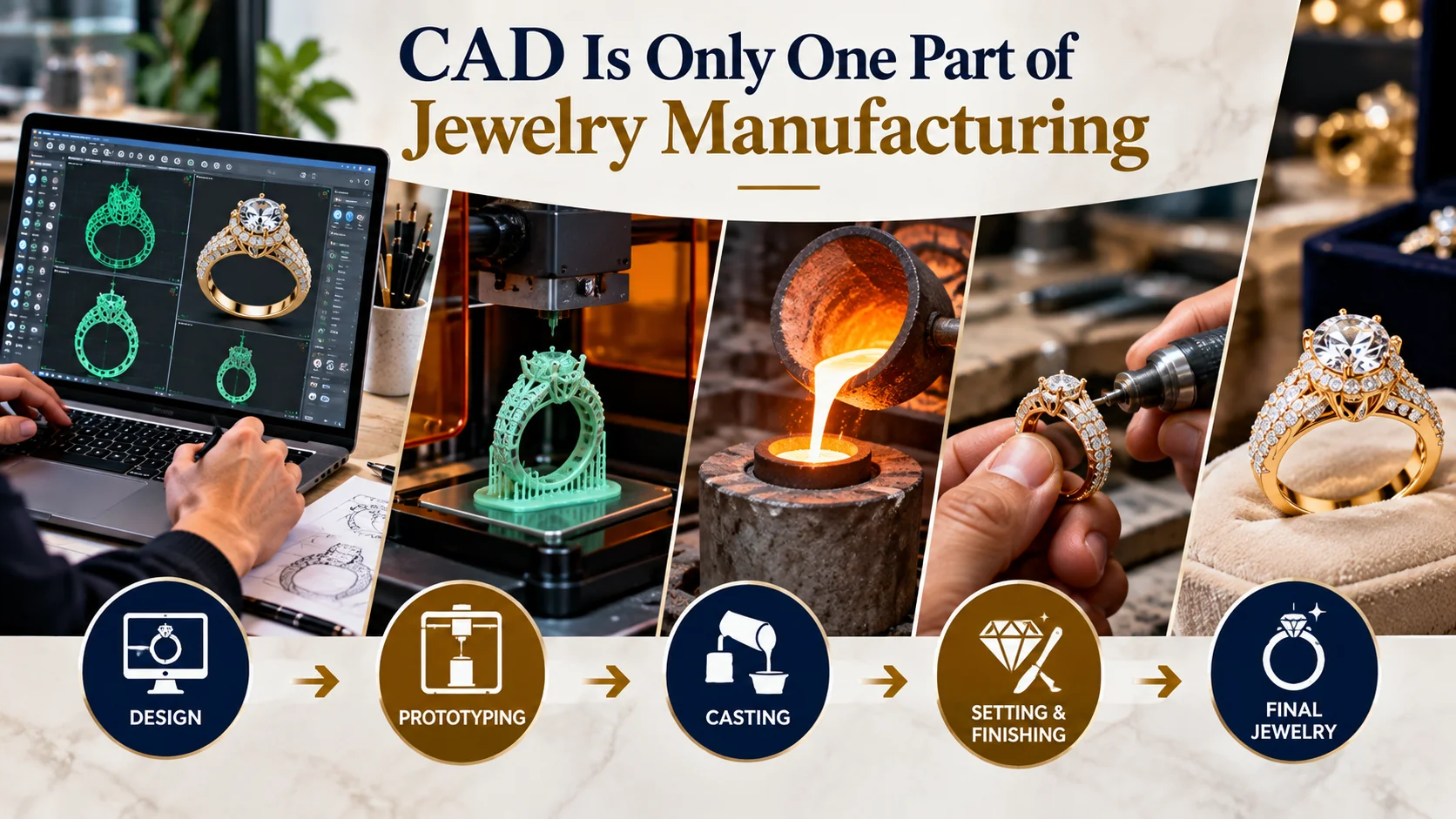
A frequent mistake that beginners make is to think that if they have made a 3D model, then the jewelry design is finished and is ready to be manufactured. This is not true.
A streamlined process looks something like this:
Concept → CAD modeling → Design review → Prototype → Manufacturing → Finishing → Quality inspection
Each step can have its own set of demands.
The model may appear perfect on the computer screen, but still, it would need some modification before casting or 3D printing. This can be because of very thin parts, complex stonework, inappropriate joints, etc.
That is the reason for effective communication between CAD designers and experienced jewelry manufacturers.
How Beginners Can Start Learning
Beginners do not necessarily need to master every advanced feature immediately. A structured learning process can be more effective.
Start by learning:
- Basic 3D navigation
- Curves and simple shapes
- Surface and solid modeling
- Boolean operations
- Accurate measurement
- Basic jewelry construction
- File export
- Manufacturing considerations
Once these basics are understood, designers will then be ready to move on to more specific techniques, including gem setting, pave work, engraving, sculpted elements, and pendant creation.
Another helpful practice is to recreate basic jewelry shapes before moving on to intricate custom designs.
Choosing Software Based on Your Goal
A beginner interested in jewelry CAD should first define the type of work they want to produce.
| Goal | Software approach to consider |
| Learn broad 3D CAD skills | Rhino |
| Jewelry-specific CAD workflow | MatrixGold or 3Design |
| Organic/sculptural concepts | ZBrush or similar sculpting tools |
| Experiment with general 3D design | Blender |
| Production-focused jewelry modeling | Dedicated jewelry CAD workflow |
This is not a universal ranking. The best choice depends on the designer’s experience, budget, preferred modeling approach, training resources, and manufacturing requirements.
For readers interested in useful context about how different 3D design environments approach modeling and visualization. A separate Adobe Photoshop resource may also be relevant for designers who need to prepare presentation graphics, concept visuals, or marketing imagery alongside their 3D work.
Frequently Asked Questions
What is the easiest jewelry CAD software for beginners?
No universal easy choice exists either way. Jewelry platforms will have jewelry-related software features to help you save time by not having to design those functionalities from scratch yourself, whereas Rhino has more general CAD skill set which may come handy even outside of jewelry design. It all depends on the beginner’s experience.
Can Rhino be used for jewelry design?
Yes. Rhino is a general-purpose 3D modeling software which is commonly used to model jewelry designs. Some specialized jewelry plugins can be used to enhance the functionality of the software.
Is CAD necessary for custom jewelry?
Not necessarily. Modeling by hand and other techniques are still valuable. But the use of CAD could simplify precision work, visualization, duplication, and manufacturing.
Can CAD software create pendant designs?
Yes. CAD is a suitable way to create the design of pendants, letters, decorative designs, bails, stones, etc. However, the model still needs to be reviewed from the aspect of manufacturing.
What should I learn before advanced jewelry CAD?
Basics in 3D navigation, curve drawing, surface creation, solid modeling, measurements, proportioning, and basic jewelry building techniques are helpful initial skills.
Final Thoughts
The selection of jewelry CAD software is crucial for a beginner; however, the software does not guarantee the quality of the resulting jewelry. The knowledge and skills related to design, materials, manufacturing process, and details are important no less than software capabilities.
Rhino offers good options for 3D modeling learning, whereas MatrixGold and 3Design can help create jewelry more easily. Blender and sculpting programs can be used for experimenting and special purposes. Which software is better depends on the designer’s intentions rather than the ranking.
In case a person wants to create silver jewelry such as men’s pendants, chains and other things, CAD can help him or her to think of proportions, details, variants, and manufacturing peculiarities before creating a real prototype.
Thus, the most optimal workflow for a beginner designer would be that which allows to learn CAD basics and at the same time understand how the digital model becomes jewelry.